TutorialAgent skills
How to use Superpowers in Claude Code, Codex and OpenCode, step by step
See how to use Superpowers in Claude Code: answer its questions, approve the design and plan, pick an executor, finish the branch. Codex and OpenCode too.
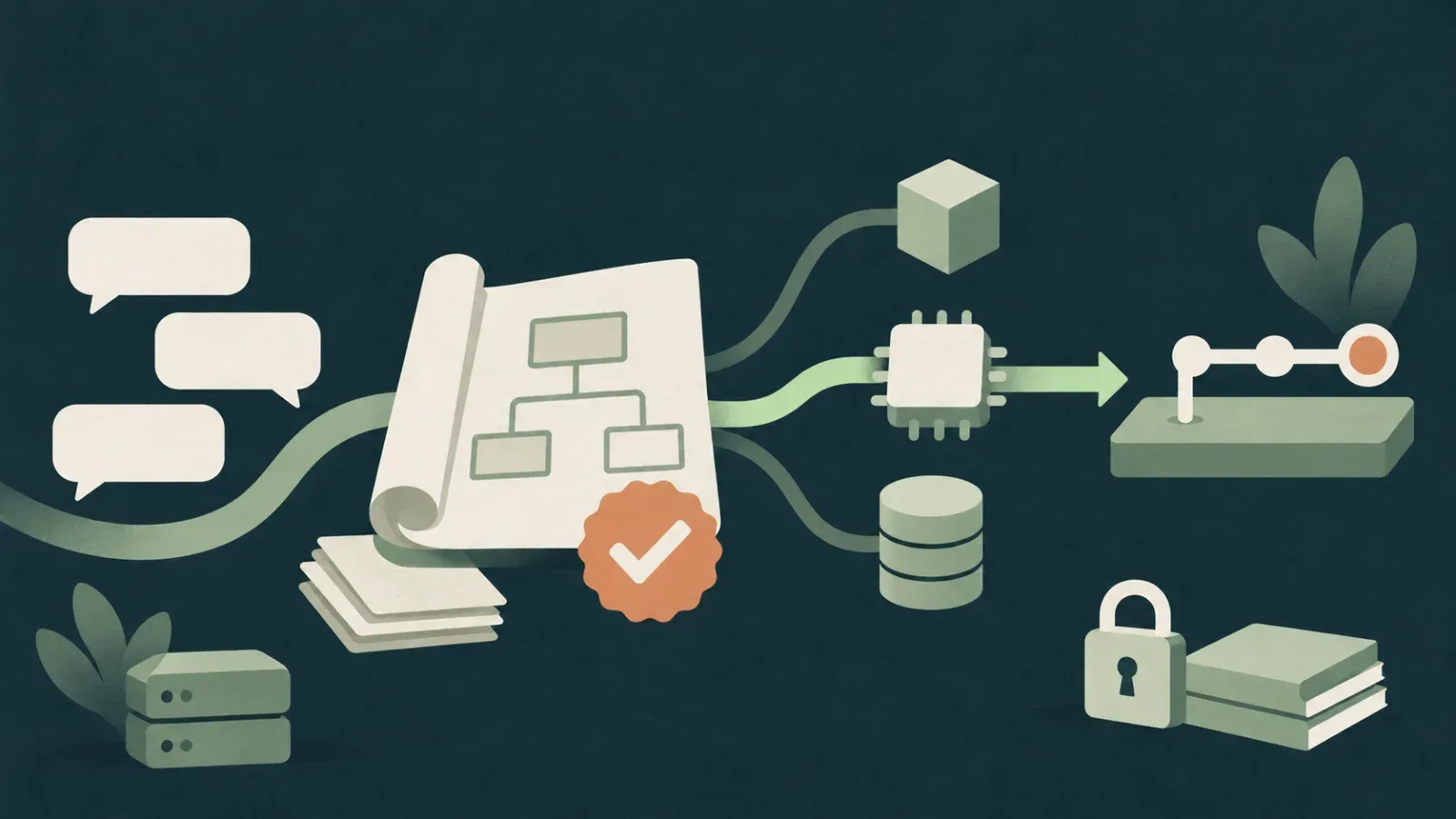
Illustration generated with ChatGPT
How to use Superpowers in Claude Code comes down to three jobs: answer the agent's questions, approve a design and a plan, then choose how the plan runs. With the obra/superpowers plugin installed, the agent checks for a matching skill before any task, so a request to build something starts a seven-step workflow instead of code. Codex and OpenCode run the same skills, with differences in tools and setup.
Step names, commands and settings here come from the Superpowers README, its SKILL.md files and the Claude Code, Codex and OpenCode docs, read on 2026-11-13, when v7.0.2 was the latest release. Nothing was run for this article.
One install command per agent
Superpowers installs separately in each agent you use. The full table of agents, folders and commands is in how to install skills in Codex, Cursor, Gemini CLI, Claude Code and more. These are the starting points from the Superpowers README (opens in a new tab):
# Claude Code, from Anthropic's official marketplace
/plugin install superpowers@claude-plugins-official

# Codex CLI: opens the plugin browser; search "superpowers", then select Install Plugin
/plugins
For OpenCode, the README tells you to ask OpenCode to fetch a file from the repository's main branch and follow the instructions in it. That hands the agent whatever the file says on the day it is fetched. Read that file yourself first, or skip the step: the OpenCode guide in the repository (opens in a new tab) gives the plugin entry to put in opencode.json yourself. For OpenCode 2.0.4 or later:
{
  "plugins": ["superpowers@git+https://github.com/obra/superpowers.git"]
}
OpenCode V1 uses the key plugin instead. Restart OpenCode after the change. Repository details, license and star count are on the obra/superpowers project page.
What changes in a session once Superpowers is installed?
The skills trigger on their own. The README says the agent checks for relevant skills before any task and calls the workflows mandatory. A bootstrap skill, using-superpowers, tells the agent to invoke a matching skill before it replies, even before a clarifying question. A request to build something goes to brainstorming first, and a bug report goes to systematic-debugging first.
The Claude Code plugin docs (opens in a new tab) say each plugin skill's name and description sit in Claude's context on every turn, and a skill's full text loads only when it is used. To confirm the install, type / in a session: plugin skills are listed in the form /<plugin>:<skill>.
Some older guides name slash commands such as /superpowers:write-plan. On 2026-11-13 the repository had no commands folder, and its README describes skills that fire by themselves.
The seven steps at a glance
The README's basic workflow, with what each step needs from you:
| Step | Skill | When it activates | What it asks of you |
|---|---|---|---|
| 1 | brainstorming | Before building anything | Answer questions one at a time, pick an approach, approve the design doc |
| 2 | using-git-worktrees | After design approval | Allow or decline an isolated worktree; decide what happens if baseline tests fail |
| 3 | writing-plans | With an approved design | Review the plan and choose Subagent-driven or Native execution |
| 4 | subagent-driven-development or executing-plans | With a plan | Nothing between tasks, unless one of four stop conditions comes up |
| 5 | test-driven-development | During implementation | Grant or refuse any exception to test-first |
| 6 | requesting-code-review | Between tasks | Read the findings, rulings and deferred items before merging |
| 7 | finishing-a-development-branch | When tasks complete | Choose merge, PR, keep or discard |
How to use Superpowers in Claude Code, step by step
Step 1: brainstorming, and how to answer its questions
The brainstorming skill first decides whether anything is missing. A request that already holds every detail that matters, such as making an icon cornflower blue, just gets done. Otherwise the agent reads the project and any files you pointed to before asking, and it should not ask what the project already answers.
Its first message either echoes your request back in about 200 words or asks one open question about the biggest unsettled point. If you did not ask for brainstorming, the message ends with a one-line offer to skip the questions and start work. Accept it, and the skill ends there.
To answer well:
- Describe things in your own words. Its early questions are open, with no example answers.
- Say "just guess" or "what do you think?" to get a concrete proposal instead of another question.
- Correct the playback. The design comes back in parts of about 200 to 300 words, each ending with a request for corrections.
- Pick an approach from the two or three it lays out, with trade-offs and a recommendation.
The output is a design doc: short for a small change, full for a project. In a software repository it goes to docs/superpowers/specs/YYYY-MM-DD-<topic>-design.md and is committed. For a project, a fresh subagent reads the doc as a builder first, so one more round of questions can follow. The brainstorming SKILL.md (opens in a new tab) sets a hard gate: nothing gets built until you approve the doc.
When a screen or layout is yours to decide, the agent may offer the visual companion, a browser tab for mockups, in a message by itself. Declining keeps everything in text.
Steps 2 and 3: a git worktree and a written plan
using-git-worktrees first checks whether you are already in a linked worktree. In a normal checkout, it asks before creating one unless your instructions already state a preference. It prefers the agent's own worktree tool and falls back to git worktree add, by default under .worktrees/ at the project root. If that folder is not git-ignored, the skill adds it to .gitignore and commits the change.
Next it runs the setup it detects, such as npm install, cargo build, poetry install or go mod download, then your tests. If the baseline fails, it reports the failures and asks whether to go on. Decline the worktree and the work happens in place.
writing-plans saves the plan to docs/superpowers/plans/YYYY-MM-DD-<feature-name>.md. Each task lists exact files, the interfaces it uses and produces, and steps in order: write the failing test, run it, implement, run again, commit. The README puts tasks at 2 to 5 minutes each. The plan also has a Global Constraints section and a Review Focus list of inputs that no task's tests cover.
At the end, the writing-plans SKILL.md (opens in a new tab) has the agent ask you to review the plan and pick how it runs. If you named a method earlier, it keeps that one and only asks for the review.
Step 4: subagent-driven development or executing plans
Subagent-driven execution uses the subagent-driven-development skill, and Native uses executing-plans. This decision table pairs each situation with what the skill files say.
| Your situation | Choose | What the skill files say |
|---|---|---|
| You want a review after every task | Subagent-driven | A fresh implementer subagent per task, a task review for spec compliance and code quality, then a whole-branch review. Most thorough; costs a fresh context per task and per review. |
| You want the lower cost | Native | The agent does every task itself in the session, then one fresh reviewer on the most capable model checks the whole branch. No independent review until the end. |
| The agent has no subagent tool | Native | executing-plans is the skill for that case. |
| The plan is long enough that later tasks would run after compaction | Subagent-driven | executing-plans recommends subagent-driven development here. |
Both modes keep a ledger file, progress.md, in a git-ignored folder under .superpowers/sdd/, so a plan can switch executors and resume. Neither starts implementation on main or master without your explicit consent.
Once running, neither mode pauses to check in between tasks. Four things stop them: an irreversible or destructive operation, a security-sensitive action, a side effect outside the worktree (a merge, a push to a shared branch, a publish) and a plan too broken to follow. Other conflicts get decided and written to the ledger as rulings.
Steps 5 and 6: test-driven development and code review between tasks
test-driven-development has one rule, written in capitals: no production code without a failing test first. Code written before its test is deleted and rebuilt from the test. The skill names three exceptions (throwaway prototypes, generated code and configuration files), and each needs your permission. Before a change counts as done, the agent runs the project's whole test command as well as the new test.
Review works differently in each mode. The README describes requesting-code-review as checking work against the plan and reporting issues by severity, with Critical issues blocking progress. In a subagent-driven run, every task gets a reviewer, and a failed spec check or any Critical or Important finding starts a fix loop.
In a Native run, the final review's Critical and Important findings get one fix pass, each fix proven by a test that failed first. Minor findings stay unfixed and appear in the final message under "Deferred minors", next to "Rulings I made". Read both lists before you merge.
Step 7: finishing the branch
When the tasks are done, finishing-a-development-branch verifies the tests, presents four options (merge, PR, keep or discard) for you to choose from and cleans up the worktree.
What differs in Codex and OpenCode?
Codex
Codex installs Superpowers from the official Codex plugin marketplace, through the Plugins sidebar in the app or /plugins in the CLI. The Codex plugin docs (opens in a new tab) say bundled skills become available only in a new chat or CLI session after install, and that typing @ invokes a plugin or one of its skills explicitly. Codex's skills page also describes $ mentions for skills.
Subagent-driven runs need Codex's multi-agent tools. The Superpowers reference file for Codex asks for this in ~/.codex/config.toml:
[features]
multi_agent = true
Without a subagent tool, executing-plans is the route. In the Codex app, when the sandbox blocks branch or push operations, the agent commits the work and points you to the app's "Create branch" or "Hand off to local" controls. The CLI has its own entry on the openai/codex project page.
OpenCode
OpenCode V2 needs version 2.0.4 or later. After the restart, the guide suggests checking the install by asking "Tell me about your superpowers". Skills load through OpenCode's native skill tool, so typing "use skill tool to load brainstorming" starts step 1 by hand.
The plugin maps the skills' actions onto OpenCode's tools. V2 has no todo tool, so the plan is tracked in a Markdown file. Subagents run through the subagent tool, and delegated child sessions keep the skills but not the bootstrap. On V2, a project or personal skill with the same name as a Superpowers skill wins; on V1 1.18.31 the Superpowers one does, so give your own skills distinct names. OpenCode itself is covered on the anomalyco/opencode project page.
What do the Superpowers skills run and reach?
HuiaHub read the files of two Superpowers skills at commit 2ce8aa15d05b. The brainstorming skill check found four scripts for the optional visual companion: start and stop shell scripts, a Node.js server and a browser helper. The server binds to 127.0.0.1 by default and rejects requests without a per-session key, BRAINSTORM_TOKEN. The page advises reading scripts/server.cjs and scripts/start-server.sh before you accept the companion.
The systematic debugging check found two script files and no network use, hooks or secrets. find-polluter.sh runs npm test on each test file matching a pattern and stops at the first one that creates a given file or folder. It runs only when called. Because it runs your project's own tests, the page suggests trying it in a test repository first. Neither skill adds hooks; the plugin has a session-start hook.
Other skills run commands too: worktree setup runs your package manager's install, and both executors call scripts that ship in the skill folders. Claude Code's docs note that whatever a plugin runs, it runs as you. The steps in how to check an agent skill before you install it apply to every skill in the plugin.
The README's "Visual companion telemetry" section covers one network call. By default, the Prime Radiant logo on the companion loads from Prime Radiant's website, and the request includes the Superpowers version. The README says it carries no details about your project, prompt or coding agent. To turn it off, set SUPERPOWERS_DISABLE_TELEMETRY to any true value. Superpowers also honors Claude Code's DISABLE_TELEMETRY and CLAUDE_CODE_DISABLE_NONESSENTIAL_TRAFFIC opt-outs.
How to skip a step, update or remove Superpowers
Your own instructions outrank the skills. using-superpowers ranks CLAUDE.md, AGENTS.md, GEMINI.md and direct requests above skills, and says skill workflows are skipped only when you say so explicitly. These are the documented ways out:
- Brainstorming: take its one-line offer to start work, or put every detail in the request. A throwaway spike you agree to skips the plan, implementation and review process.
- Worktree: decline when asked, or state your preference in your instructions.
- Test-first: ask for an exception. The skill lists prototypes, generated code and configuration files.
- Execution mode: name it before the plan is written.
In Claude Code, plugins from claude-plugins-official update automatically by default. Third-party marketplaces, which include superpowers-marketplace, have auto-update off by default. A running session keeps the version it loaded until you run /reload-plugins or start a new session. From your shell:
claude plugin update superpowers@claude-plugins-official
claude plugin disable superpowers@claude-plugins-official
claude plugin uninstall superpowers@claude-plugins-official
In the Codex CLI, /plugins lets you press Space on an installed plugin to turn it on or off, and install or uninstall entries. In the Codex app, open the plugin and select Uninstall plugin.
OpenCode may not pick up a new commit on restart, because some OpenCode and Bun versions cache the git dependency. Clear OpenCode's package cache or reinstall the plugin. To pin a release, add a tag to the spec, such as #v7.0.2. The OpenCode guide documents no uninstall step.
Frequently asked questions
Does Superpowers work in Cursor or Gemini CLI?
Yes, the README lists both. In Cursor Agent chat the install is `/add-plugin superpowers`, and Gemini CLI installs it as an extension with `gemini extensions install https://github.com/obra/superpowers`. Antigravity, GitHub Copilot CLI, Kimi Code and several other agents have their own install lines in the same README.
Why does the agent ask so many questions before it writes code?
The brainstorming skill exists to find out what you want and why before anything is built. It asks only when the answer would change what gets built, one question at a time, and skips what the project already answers. A request with every detail in it should go straight to work, and accepting its offer to start work ends the questions.
Can I install a single Superpowers skill instead of the whole plugin?
HuiaHub's file checks note that the documented installs add the whole plugin, not one skill. The skills also hand off to each other: brainstorming expects the writing-plans skill to be installed.
What can I do when a Superpowers session goes wrong?
Ask the agent to "figure out what went wrong with superpowers in this session". The README says that invokes the diagnosing-superpowers skill, which reads the session transcript and reports what happened with line-level evidence. If you want, it also packages a scrubbed bundle for a bug report.
Sources
- 1.GitHub - obra/superpowers: An agentic skills framework & software development methodology that works. · GitHubRepositoryPrimarygithub.com
- 2.superpowers/skills/brainstorming/SKILL.md at main · obra/superpowers · GitHubRepositoryPrimarygithub.com
- 3.superpowers/skills/using-git-worktrees/SKILL.md at main · obra/superpowers · GitHubRepositoryPrimarygithub.com
- 4.superpowers/skills/writing-plans/SKILL.md at main · obra/superpowers · GitHubRepositoryPrimarygithub.com
- 5.superpowers/skills/subagent-driven-development/SKILL.md at main · obra/superpowers · GitHubRepositoryPrimarygithub.com
- 6.superpowers/skills/executing-plans/SKILL.md at main · obra/superpowers · GitHubRepositoryPrimarygithub.com
- 7.superpowers/skills/test-driven-development/SKILL.md at main · obra/superpowers · GitHubRepositoryPrimarygithub.com
- 8.superpowers/docs/README.opencode.md at main · obra/superpowers · GitHubRepositoryPrimarygithub.com
- 9.Plugins overview - Claude Code DocsOfficial docsPrimarycode.claude.com
- 10.Skills & Plugins | ChatGPT LearnWeblearn.chatgpt.com
- 11.api.github.com/repos/obra/superpowers/releases/latestOfficial docsPrimary
- 12.github.com/obra/superpowers/blob/main/skills/using-superpowers/SKILL.mdRepositoryPrimary
- 13.code.claude.com/docs/en/plugins/installWeb
- 14.learn.chatgpt.com/docs/pluginsWeb
- 15.github.com/obra/superpowers/blob/main/skills/using-superpowers/references/codex-tools.mdRepositoryPrimary
- 16.huiahub.com/skills/brainstorming-obraWeb
- 17.huiahub.com/skills/systematic-debugging-obraWeb
Spotted an error? See our corrections policy.
Enjoyed this? Get the weekly brief.
New guides, Project & Tool of the Week and the AI developments that matter. One email, no spam.
Read next
- GuideAgent skills
How to check if a Claude skill is safe before you install it
How to check if a Claude skill is safe: read SKILL.md and every script as text, find network calls, hooks and secrets, then pin the copy you read.
7 min read
 GuideAgent skills
Claude skills vs MCP vs plugins vs hooks, plus slash commands: what each is for
Pick the right Claude Code extension: compare Claude skills vs MCP vs plugins vs hooks by trigger, location, context cost and what each can run.
10 min read
 GuideAgent skills
How to install skills in Codex, Cursor, Gemini CLI, Claude Code and more
Find the skills folder and install command for Codex, Cursor, Gemini CLI, Claude Code, Antigravity and OpenCode, and check a skill before it runs.
8 min read
More on these topics
Related open-source projects
Agent Skills is a repository of 25 Markdown workflows for AI coding agents, covering software work from specification and planning through testing, review, performance, security, deployment and documentation. Each skill is a SKILL.md process with triggers, steps, red flags, verification criteria and common rationalizations to counter. The pack can be installed with the skills CLI or integrated with tools including Claude Code, Cursor, Gemini CLI, OpenCode, GitHub Copilot and Codex. Nine slash commands map development tasks to skills. /build auto can generate a plan and implement its tasks after one approval, while stopping on failures or risky steps. This suits teams that want an agent to follow a defined engineering process instead of relying on isolated prompts. The repository also contains four review personas, shared checklists, evaluation cases and host-specific adapters. One installation limitation matters: installing a single skill through npx does not copy the repository-level references/ directory, so links to shared checklists are unavailable unless those files are supplied another way.
- Stars
- 120K
- Language
- JavaScript
- License
- MIT
- Momentum
- +1.5% 7dEstablished
Matt Pocock's Skills for Real Engineers is an open-source collection of instructions that guide AI coding agents through software development tasks. The skills cover requirements gathering, technical planning, testing, debugging, and code architecture. Instead of introducing a single development workflow, the repository provides individual skills that developers can choose, combine, and modify for their projects. The collection includes /grill-me, which has an agent question the user to clarify a plan, and /grill-with-docs, which adds documentation such as architecture decision records and a project glossary. For implementation work, /tdd describes a test-first development process, while /diagnosing-bugs guides agents through reproducing and investigating failures. Other skills address writing specifications and identifying opportunities to improve code structure. These are instructions for an existing agent, rather than a separate AI model or coding application. The README documents installation for Claude Code, Codex, GitHub Copilot, Gemini CLI, and other compatible agents. Plugin installations have agent-specific update mechanisms, while the skills.sh route copies editable files that developers update manually. After installation, /setup-matt-pocock-skills configures preferences for issue tracking, triage labels, and documentation locations. The collection suits developers who want to retain control over their engineering process while giving coding agents more specific guidance. Its usefulness still depends on the chosen agent, the available project context, and how developers apply the instructions.
- Stars
- 331K
- Language
- Shell
- License
- MIT
- Momentum
- +1.6% 7dEstablished
OpenCode is an open source coding agent that works on your code from a terminal interface, a desktop app or a web app. It is MIT-licensed, written mostly in TypeScript, and published by the anomalyco organization on GitHub. The agent does not come with one fixed model. OpenCode carries a provider and model catalog from models.dev: you run /connect, pick a provider, enter its credentials, then choose a model with /models. The provider docs cover signing in with a ChatGPT Plus or Pro plan, GitHub Copilot through device OAuth, custom OpenAI-compatible endpoints, and local models served by Ollama, which OpenCode finds without an account connection. Two paid options from the same team are optional: OpenCode Console, and OpenCode Go at $10 per month. Work happens through agents. Build is the default and may use tools and reach outside the workspace. Plan explores and plans without editing normal project files. Two subagents, General and Explore, handle research and code search in child sessions. You can add your own agents as Markdown files that hold a system prompt, a model preference and permission rules, then extend the setup with plugins, MCP servers and custom commands. The README labels the desktop app as beta.
- Stars
- 229K
- Language
- TypeScript
- License
- MIT
- Momentum
- +1.1% 7dEstablished
Superpowers is an open-source collection of skills that gives AI coding agents a structured process for planning, implementing, testing, and reviewing software changes. It works inside supported coding agents rather than replacing them with a separate development environment. The skills guide an agent from understanding a request through writing code and checking the result. The process begins with questions about what the developer wants to build. The agent proposes a design for approval, creates an implementation plan, and prepares an isolated Git worktree. During implementation, Superpowers directs the agent to write failing tests before production code, review completed tasks, and verify the result before finishing a branch. Work can be divided among subagents or completed within the current session. The repository also includes skills for debugging, handling code review feedback, and investigating why a skill did not activate correctly. Superpowers supports several coding environments, including Claude Code, Codex, Cursor, Gemini CLI, GitHub Copilot CLI, OpenCode, and Kimi Code. Installation depends on the agent, with plugin marketplaces and repository-based installation methods documented. Once installed, the project is designed to activate relevant skills automatically. Developers still approve designs and make decisions about completed branches. The workflow is deliberately prescriptive, particularly around test-driven development, so it suits projects where following an agreed process matters more than immediately generating code.
- Stars
- 324K
- Language
- Shell
- License
- MIT
- Momentum
- +1.9% 7dEstablished
Codex CLI is OpenAI's coding agent for the terminal: you start it inside a project folder, describe a task, and it reads files, edits them and runs commands on your own machine. The code is written in Rust and released under the Apache-2.0 license. A session works like a conversation. The docs describe asking Codex to explain a codebase, plan a change, edit files and run local development tools, with commands and diffs shown as they happen. codex exec runs the agent without the interactive screen, for scripts and CI. A separate review mode reports findings on uncommitted changes, a commit or a base branch and leaves the working tree alone. Other documented options include codex resume for saved chats, image input, live web search, subagents and MCP servers. On a local machine, an OS-enforced sandbox limits what the agent can touch, and an approval policy decides when it has to stop and ask. The defaults are no network access and write access limited to the active workspace. You sign in with a ChatGPT plan (the README lists Plus, Pro, Business, Edu and Enterprise) or with an OpenAI API key, which OpenAI bills at standard API rates. The same README points to an IDE extension, a desktop app and the cloud-based Codex Web as other ways to use Codex.
- Stars
- 136K
- Language
- Rust
- License
- Apache-2.0
- Momentum
- +0.9% 7dEstablished
Related AI tools
Claude Code
Coding & dev tools
Anthropic's coding agent that reads a codebase, edits files and runs commands from the terminal, IDE, desktop app or web.
PaidAPIVerifiedCursor
Coding & dev tools
An AI code editor and coding agent that plans, writes and reviews code on your desktop, in the terminal, in Slack and in the cloud.
FreemiumFree tierAPIVerified
Related agent skills
Test-driven development
mattpocock/skills
Test-driven development for building features or fixing bugs test-first, used when someone mentions red-green-refactor or wants integration tests.
No scriptsNo networkNo hooksNo secretsClaude Code, Codex, GitHub Copilot★ 310Kchecked
Systematic debugging
obra/superpowers
Use when hitting any bug, test failure or unexpected behavior, before proposing a fix.
Runs scriptsNo networkNo hooksNo secretsClaude Code, Codex, Cursor★ 311Kchecked
Vercel web interface review
vercel-labs/agent-skills
Reviews UI code for compliance with the Web Interface Guidelines, for requests such as reviewing a UI, checking accessibility, or auditing design and UX.
No scriptsNetwork accessNo hooksNo secrets★ 34Kchecked
Remotion skill router
remotion-dev/skills
A router that sends Remotion video tasks such as project setup, markup, maps, captions and rendering to the matching reference.
Runs scriptsNetwork accessNo hooksAsks for secretsClaude Code, Codex, Kimi Code★ 6.9Kchecked
Supabase Postgres rules
supabase/agent-skills
Postgres rules maintained by Supabase for schema design, migrations, RLS policies, indexes and queries, and for diagnosing slow queries and locking.
No scriptsNetwork accessNo hooksNo secretsClaude Code, GitHub Copilot, Cursor★ 3Kchecked
QStash JavaScript SDK
upstash/qstash-js
Helps an agent work with the QStash JavaScript/TypeScript SDK to publish messages to HTTP endpoints, create schedules, manage queues and verify incoming messages in serverless environments.
Runs scriptsNetwork accessNo hooksAsks for secrets★ 271checked