GuideAgent skills
How to install skills in Codex, Cursor, Gemini CLI, Claude Code and more
Find the skills folder and install command for Codex, Cursor, Gemini CLI, Claude Code, Antigravity and OpenCode, and check a skill before it runs.
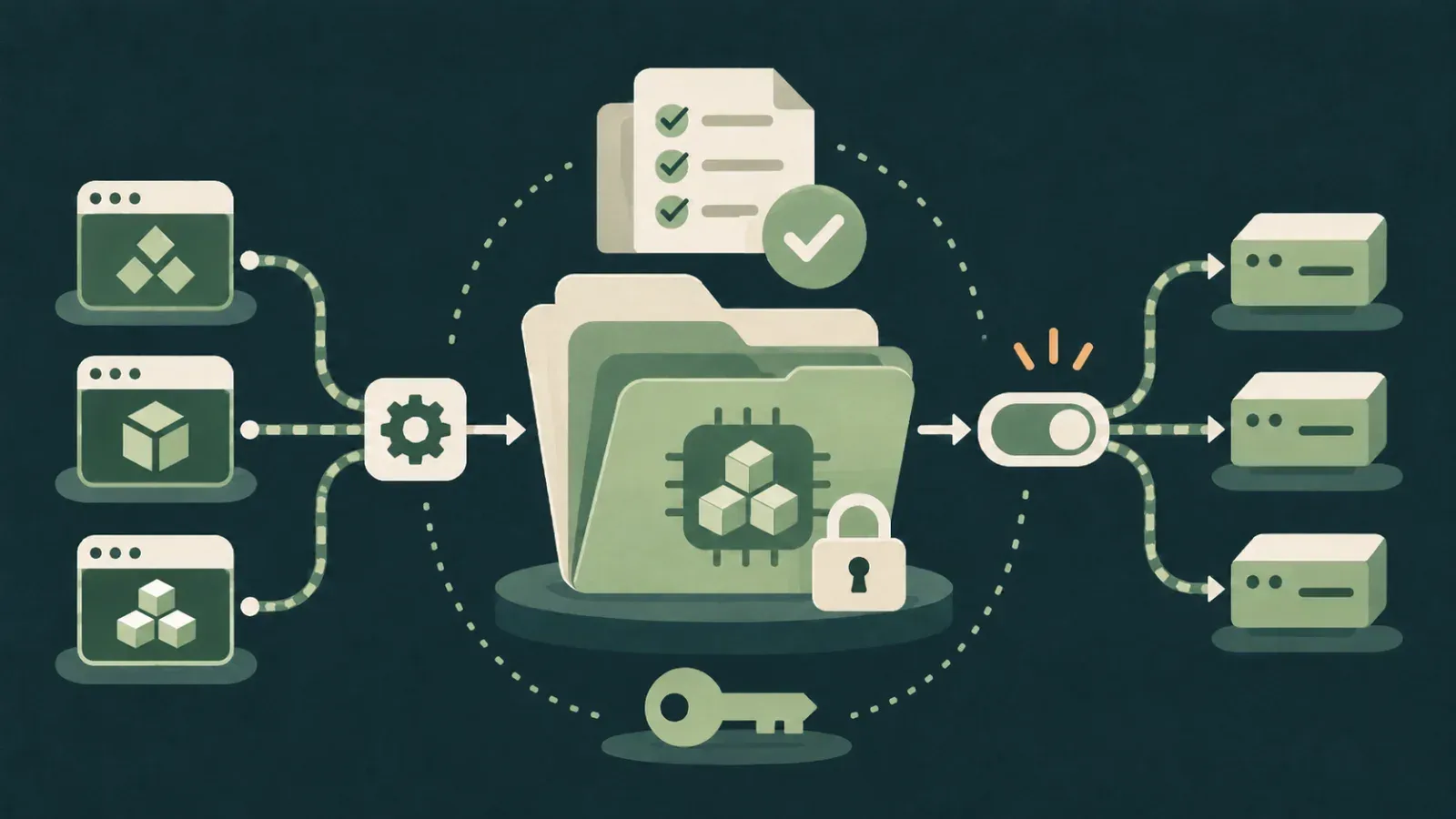
Illustration generated with ChatGPT
You install an agent skill by putting its folder, the one that holds SKILL.md, into a directory your coding agent scans. That is how to install skills in Codex, Cursor, Gemini CLI, Claude Code, Antigravity and OpenCode alike. Only the folder names and the optional install commands differ, and the table below lists them per agent, checked against each vendor's own documentation on 2026-11-03.
What is an agent skill, and why does the folder decide who sees it?
An agent skill is a directory that contains at least one file, SKILL.md. The Agent Skills specification at agentskills.io requires YAML frontmatter with a name and a description, followed by Markdown instructions. A skill may also carry scripts/, references/ and assets/ folders.
The name field allows lowercase letters, numbers and hyphens, up to 64 characters, and must match the parent folder's name. The description can run to 1,024 characters. Agents read only the name and description of every skill at startup and load the full body when a task calls for it.
Where the folder sits sets the skill's reach. A project folder inside a repository applies to that repository and travels with it through version control, so teammates get the skill on their next pull. A user folder in your home directory applies to every project on that one machine and to nobody else. To write your own skill rather than install one, see how to write a SKILL.md for Claude Code.
How to install skills in Codex, Cursor, Gemini CLI and three other agents
Each row comes from that agent's own skills page, checked on 2026-11-03. <name> is the skill's folder.
| Agent | Project folder | User folder | Install command | How to invoke |
|---|---|---|---|---|
| Claude Code | .claude/skills/<name>/ | ~/.claude/skills/<name>/ | Copy the folder (plugins can also bring skills) | Type /<name>, or Claude loads it when relevant |
| Codex | .agents/skills/ in the working directory and each parent up to the repo root | $HOME/.agents/skills | $skill-installer <skill> inside Codex | /skills or a $ mention; also chosen by description |
| Cursor | .agents/skills/ or .cursor/skills/ | ~/.agents/skills/ or ~/.cursor/skills/ | Copy the folder; repositories install as plugins | Type / in Agent chat; also applied by context |
| Gemini CLI | .agents/skills/ or .gemini/skills/ | ~/.agents/skills/ or ~/.gemini/skills/ | gemini skills install <git URL or path> | Activated by the model after you approve a consent prompt |
| Antigravity | .agents/skills/ (and each parent up to the repo root) | ~/.gemini/config/skills/ | agy plugin install <GitHub URL> for plugin bundles (CLI) | /<name> in the App and CLI; also chosen by the agent |
| OpenCode | .opencode/skills/, .agents/skills/ or .claude/skills/ | ~/.config/opencode/skills/, ~/.agents/skills/ or ~/.claude/skills/ | Copy the folder | The agent loads it through the built-in skill tool |
Claude Code
Claude Code reads personal skills from ~/.claude/skills/<skill-name>/SKILL.md and project skills from .claude/skills/<skill-name>/SKILL.md. It looks for project skills in the directory where you start it and in every parent directory up to the repository root. Starting a session in packages/frontend/ therefore still loads skills defined at the root.
Install a skill by hand
mkdir -p ~/.claude/skills
cp -r ./my-skill ~/.claude/skills/my-skill
The command you type comes from the frontmatter name or the folder name, so .claude/skills/deploy-staging/SKILL.md becomes /deploy-staging. An entry in the personal or project folder may be a symlink to a directory elsewhere on disk. Skills that arrive inside a plugin are namespaced as /plugin-name:skill-name. The Claude Code skills documentation (opens in a new tab) covers enterprise and nested locations too. HuiaHub keeps a Claude Code tool page with the product details.
Codex
The Codex docs now live on the ChatGPT Learn site. Codex scans .agents/skills in every directory from where you launch it up to the repository root, then $HOME/.agents/skills, then an admin folder at /etc/codex/skills. Two system skills ship with Codex: skill-creator and skill-installer.
Install a curated skill
Run the installer from inside Codex. The documented example installs the Linear skill:
$skill-installer linear
According to the Codex skills documentation (opens in a new tab), you can also prompt the installer to fetch skills from other repositories. Copying a folder into one of the scanned locations works too, and Codex follows symlinked skill folders.
Invoke a skill with /skills or by typing $ and its name in Codex CLI or the IDE extension. Codex can also pick a skill on its own when your task matches its description.
Cursor
Cursor loads skills from four places: .agents/skills/ and .cursor/skills/ in the project, plus ~/.agents/skills/ and ~/.cursor/skills/ in your home folder. For compatibility it also reads .claude/skills/, .codex/skills/, ~/.claude/skills/ and ~/.codex/skills/.
Cursor walks each skills root recursively, so category subfolders are allowed. A skills folder inside a monorepo package applies only to files under that package. The Cursor skills documentation (opens in a new tab) says the name must match the parent folder.
Bring in skills from a GitHub repository
Cursor does not import skills from a repository on their own. The repository has to be packaged as a plugin with a .cursor-plugin/marketplace.json, then imported in Customize with From GitHub Repository, or added as a team marketplace. For a loose skill folder, copying it into one of the four locations is enough.
To run a skill, type / in Agent chat and pick it. A skill invoked that way attaches to one message. Discovered skills are listed under Customize, then Skills. See the Cursor tool page for the editor itself.
Gemini CLI
Gemini CLI has four discovery tiers, from lowest to highest precedence: built-in skills, extension skills, user skills and workspace skills. User skills live in ~/.gemini/skills/ or the ~/.agents/skills/ alias. Workspace skills live in .gemini/skills/ or .agents/skills/. Within one tier, the .agents/skills/ alias wins over .gemini/skills/.
Install from Git or a local folder
# Install to the user scope (the default)
gemini skills install https://github.com/user/repo.git

# Install one skill from a subfolder into this workspace only
gemini skills install https://github.com/user/repo.git --scope workspace --path skills/my-skill

# Confirm what Gemini CLI found
gemini skills list --all
Inside a session, /skills link <path> links skills from a local directory, and /skills list shows what was discovered. The Gemini CLI skills page (opens in a new tab) documents the --consent flag, which skips the security confirmation during install. Leave it off for skills you have not read.
Activation works differently from the other agents. When Gemini decides a skill fits, it calls activate_skill and shows a prompt with the skill's name, purpose and the directory it will gain access to. After you approve, the skill's folder joins the agent's allowed file paths.
Antigravity
Antigravity's skills page covers the Antigravity App, CLI and IDE. All three read <workspace-root>/.agents/skills/<skill-folder>/ and the .agents/skills/ folder in each parent up to the repository root. The older .agent/skills name still works for backward compatibility.
The global folder is ~/.gemini/config/skills/<skill-folder>/, shared by the App and CLI. The CLI also loads ~/.gemini/antigravity-cli/skills/ and ~/.gemini/skills/, which the App does not read. The IDE still supports a legacy global folder, ~/.gemini/antigravity/skills/.
Install a skill bundle with the CLI
agy plugin install https://github.com/<owner>/<repo>
agy plugin list --json
The CLI turns every skill into a slash command, so a skill named deploy-staging becomes /deploy-staging. In the App, type /<skill-name> in the message box. According to the Antigravity skills documentation (opens in a new tab), only description is required in the frontmatter there, and name defaults to the folder name.
OpenCode
OpenCode searches six locations: .opencode/skills/, .claude/skills/ and .agents/skills/ in the project, and ~/.config/opencode/skills/, ~/.claude/skills/ and ~/.agents/skills/ globally. For project paths it walks up from the current directory to the git worktree. Installation is a folder copy; the skills page documents no install command.
The agent sees a list of skill names and descriptions and loads one by calling its built-in skill tool. You can gate that with pattern rules in opencode.json. This illustrative config asks before loading any skill whose name starts with vendor-:
{
  "permission": {
    "skill": {
      "*": "allow",
      "vendor-*": "ask"
    }
  }
}
OpenCode's troubleshooting list on that page: SKILL.md spelled in capitals, name and description present, names unique across all locations, and no deny rule hiding the skill.
Can one .agents/skills folder serve every agent?
Partly. A project-level .agents/skills/ folder is read by Codex, Cursor, Gemini CLI, Antigravity and OpenCode, according to each one's docs. At user level, ~/.agents/skills/ covers Codex, Cursor, Gemini CLI and OpenCode, while Antigravity documents ~/.gemini/config/skills/ instead.
Claude Code's skills page lists only .claude/skills locations. It does accept a symlinked skill folder, so one copy can serve all six agents in a project:
mkdir -p .agents/skills .claude/skills
cp -r ./my-skill .agents/skills/my-skill
ln -s ../../.agents/skills/my-skill .claude/skills/my-skill
Install across agents with npx skills
The skills CLI from vercel-labs/skills (opens in a new tab) installs a skill into several agents at once. It requires Node.js 22.20 or later and installs into the current project unless you pass -g.
# See which skills a repository offers, without installing
npx skills add vercel-labs/agent-skills --list

# Install one skill into this project for three agents
npx skills add vercel-labs/agent-skills --skill web-design-guidelines -a codex -a cursor -a gemini-cli

# Install the same skill globally for Claude Code
npx skills add vercel-labs/agent-skills --skill web-design-guidelines -g -a claude-code

# Show what is installed
npx skills list
The recommended install method keeps one canonical copy and symlinks each agent to it; --copy makes independent copies instead. The CLI's agent table puts project installs for Codex, Cursor, Gemini CLI, OpenCode and Antigravity in .agents/skills/ and Claude Code's in .claude/skills/.
Global paths in that table differ by agent. For Antigravity it uses ~/.gemini/antigravity/skills/, the folder Antigravity's docs call a legacy path supported by the IDE, so check that the App sees a globally installed skill. The CLI collects anonymous usage data; DISABLE_TELEMETRY=1 or DO_NOT_TRACK=1 turns off both telemetry and its security-audit requests.
What to check in a skill before you install it
A skill is instructions plus, often, code your agent will run with your permissions. Read the folder first. This checklist maps each file or field to what the vendor docs say it can do.
| Check | What to look for | Why it matters |
|---|---|---|
SKILL.md frontmatter | name matches the folder, in lowercase with hyphens; the description says when it should trigger | Cursor, OpenCode and the spec require the name to match the folder |
scripts/ | Read every script the body tells the agent to run | Cursor's docs say the agent runs referenced scripts when the skill is invoked |
allowed-tools | Which tools the skill pre-approves | In Claude Code, workspace trust does not gate this field, even in a -p run in an untrusted folder |
!`command` lines | Shell commands embedded in the body | Claude Code runs them before Claude sees the skill; the disableSkillShellExecution setting turns this off |
hooks in frontmatter | Hook definitions | Claude Code registers them when the skill is invoked and keeps them running for the session |
agents/openai.yaml | Tool dependencies such as MCP servers and their URLs | Codex reads this file for appearance, invocation policy and dependencies |
| Side effects | Deploys, commits, messages | Set disable-model-invocation: true (Claude Code, Cursor) so it runs only when you type its command |
| Skip-prompt flags | gemini skills install --consent, npx skills add -y | Both skip the confirmation step |
Hooks deserve their own read; the Claude Code hooks guide explains what they can run. A skill that declares an MCP server brings the same risks as connecting one yourself, which the guide to connecting MCP servers to Claude Code safely covers.
Frequently asked questions
Do I need to restart the agent after adding a skill?
Usually not. Claude Code watches its skill folders and picks up added, edited or removed skills within the current session. Codex detects new skills automatically and says to restart only if one does not appear. In Gemini CLI run `/skills reload`, and in the Antigravity CLI run `/skills reload` or start a new conversation.
What happens when two installed skills share a name?
The agents resolve it differently. Claude Code prefers enterprise over personal and personal over project, and Gemini CLI uses the higher-precedence tier. Codex does not merge them and can show both in its skill selectors, while OpenCode's docs tell you to keep names unique across all locations.
How do I turn a skill off without deleting it?
In Codex, add a `[[skills.config]]` entry with the skill's `path` or `name` and `enabled = false` to `~/.codex/config.toml`, then restart. Gemini CLI has `/skills disable <name>`, which defaults to the user scope unless you add `--scope workspace`. OpenCode can hide a skill with a `deny` pattern in `opencode.json`.
Can I try a skill without installing it?
The `skills` CLI has a `use` command for this. `npx skills use vercel-labs/agent-skills@web-design-guidelines --agent claude-code` writes the skill files to a temporary directory and starts Claude Code with a generated prompt. Without `--agent`, it prints the prompt instead.
Do my personal skills work in cloud agents?
Not by default. Claude Code's Cowork and cloud sessions do not read `~/.claude/skills/`; commit the skill to the repository's `.claude/skills/` or enable it for your claude.ai account. Cursor syncs only `~/.cursor/skills/` to Cloud Agents, and only after you turn on Sync Skills for Cloud Agents.
Sources
- 1.Extend Claude with skills - Claude Code DocsOfficial docsPrimarycode.claude.com
- 2.Build skills | ChatGPT LearnOfficial docsPrimarylearn.chatgpt.com
- 3.Agent Skills | Cursor DocsOfficial docsPrimarycursor.com
- 4.Agent Skills | Gemini CLIOfficial docsPrimarygeminicli.com
- 5.Agent skills | Google Antigravity DocsOfficial docsPrimaryantigravity.google
- 6.Agent Skills | OpenCodeOfficial docsPrimaryopencode.ai
- 7.vercel-labs/skillsRepositoryPrimarygithub.com
- 8.Specification - Agent SkillsOfficial docsPrimaryagentskills.io
- 9.github.com/vercel-labs/skills/blob/main/docs/commands.mdRepositoryPrimary
- 10.github.com/vercel-labs/skills/blob/main/docs/agents.mdRepositoryPrimary
Spotted an error? See our corrections policy.
Enjoyed this? Get the weekly brief.
New guides, Project & Tool of the Week and the AI developments that matter. One email, no spam.
Read next
 TutorialAgent skills
How to use Superpowers in Claude Code, Codex and OpenCode, step by step
See how to use Superpowers in Claude Code: answer its questions, approve the design and plan, pick an executor, finish the branch. Codex and OpenCode too.
11 min read
- GuideAgent skills
How to check if a Claude skill is safe before you install it
How to check if a Claude skill is safe: read SKILL.md and every script as text, find network calls, hooks and secrets, then pin the copy you read.
7 min read
 GuideAgent skills
Claude skills vs MCP vs plugins vs hooks, plus slash commands: what each is for
Pick the right Claude Code extension: compare Claude skills vs MCP vs plugins vs hooks by trigger, location, context cost and what each can run.
10 min read
More on these topics
Related open-source projects
Agent Skills is a repository of 25 Markdown workflows for AI coding agents, covering software work from specification and planning through testing, review, performance, security, deployment and documentation. Each skill is a SKILL.md process with triggers, steps, red flags, verification criteria and common rationalizations to counter. The pack can be installed with the skills CLI or integrated with tools including Claude Code, Cursor, Gemini CLI, OpenCode, GitHub Copilot and Codex. Nine slash commands map development tasks to skills. /build auto can generate a plan and implement its tasks after one approval, while stopping on failures or risky steps. This suits teams that want an agent to follow a defined engineering process instead of relying on isolated prompts. The repository also contains four review personas, shared checklists, evaluation cases and host-specific adapters. One installation limitation matters: installing a single skill through npx does not copy the repository-level references/ directory, so links to shared checklists are unavailable unless those files are supplied another way.
- Stars
- 120K
- Language
- JavaScript
- License
- MIT
- Momentum
- +1.5% 7dEstablished
Matt Pocock's Skills for Real Engineers is an open-source collection of instructions that guide AI coding agents through software development tasks. The skills cover requirements gathering, technical planning, testing, debugging, and code architecture. Instead of introducing a single development workflow, the repository provides individual skills that developers can choose, combine, and modify for their projects. The collection includes /grill-me, which has an agent question the user to clarify a plan, and /grill-with-docs, which adds documentation such as architecture decision records and a project glossary. For implementation work, /tdd describes a test-first development process, while /diagnosing-bugs guides agents through reproducing and investigating failures. Other skills address writing specifications and identifying opportunities to improve code structure. These are instructions for an existing agent, rather than a separate AI model or coding application. The README documents installation for Claude Code, Codex, GitHub Copilot, Gemini CLI, and other compatible agents. Plugin installations have agent-specific update mechanisms, while the skills.sh route copies editable files that developers update manually. After installation, /setup-matt-pocock-skills configures preferences for issue tracking, triage labels, and documentation locations. The collection suits developers who want to retain control over their engineering process while giving coding agents more specific guidance. Its usefulness still depends on the chosen agent, the available project context, and how developers apply the instructions.
- Stars
- 331K
- Language
- Shell
- License
- MIT
- Momentum
- +1.6% 7dEstablished
Gemini CLI is an open-source command-line agent from Google that reads and edits code, runs shell commands and answers questions about a project from inside the terminal. You start it with gemini in a project folder and work in a chat-style session, or call it from scripts. The README now opens with a status notice. It says the tool is designed for organizations with Gemini Code Assist Standard or Enterprise licenses and Code Assist for GitHub on Google Cloud, and it also lists legacy paid Gemini API and Vertex AI keys. Free individual access and the Google AI Pro and Ultra plans moved to a separate product, Antigravity CLI, on June 18, 2026. The same notice says Gemini CLI is not tuned for the Gemini 4 model series. For people who still have access, the docs describe built-in tools for files, shell commands, web fetch and web search, plus MCP servers configured in /.gemini/settings.json. Headless mode returns plain text, one JSON object or a stream of JSON events. Tool execution can be sandboxed with macOS Seatbelt, Docker or Podman, a Windows native sandbox, or gVisor on Linux. Project instructions live in GEMINI.md context files, and checkpointing saves conversations so they can be resumed.
- Stars
- 109K
- Language
- TypeScript
- License
- Apache-2.0
- Momentum
- +0.2% 7dEstablished
OpenCode is an open source coding agent that works on your code from a terminal interface, a desktop app or a web app. It is MIT-licensed, written mostly in TypeScript, and published by the anomalyco organization on GitHub. The agent does not come with one fixed model. OpenCode carries a provider and model catalog from models.dev: you run /connect, pick a provider, enter its credentials, then choose a model with /models. The provider docs cover signing in with a ChatGPT Plus or Pro plan, GitHub Copilot through device OAuth, custom OpenAI-compatible endpoints, and local models served by Ollama, which OpenCode finds without an account connection. Two paid options from the same team are optional: OpenCode Console, and OpenCode Go at $10 per month. Work happens through agents. Build is the default and may use tools and reach outside the workspace. Plan explores and plans without editing normal project files. Two subagents, General and Explore, handle research and code search in child sessions. You can add your own agents as Markdown files that hold a system prompt, a model preference and permission rules, then extend the setup with plugins, MCP servers and custom commands. The README labels the desktop app as beta.
- Stars
- 229K
- Language
- TypeScript
- License
- MIT
- Momentum
- +1.1% 7dEstablished
Codex CLI is OpenAI's coding agent for the terminal: you start it inside a project folder, describe a task, and it reads files, edits them and runs commands on your own machine. The code is written in Rust and released under the Apache-2.0 license. A session works like a conversation. The docs describe asking Codex to explain a codebase, plan a change, edit files and run local development tools, with commands and diffs shown as they happen. codex exec runs the agent without the interactive screen, for scripts and CI. A separate review mode reports findings on uncommitted changes, a commit or a base branch and leaves the working tree alone. Other documented options include codex resume for saved chats, image input, live web search, subagents and MCP servers. On a local machine, an OS-enforced sandbox limits what the agent can touch, and an approval policy decides when it has to stop and ask. The defaults are no network access and write access limited to the active workspace. You sign in with a ChatGPT plan (the README lists Plus, Pro, Business, Edu and Enterprise) or with an OpenAI API key, which OpenAI bills at standard API rates. The same README points to an IDE extension, a desktop app and the cloud-based Codex Web as other ways to use Codex.
- Stars
- 136K
- Language
- Rust
- License
- Apache-2.0
- Momentum
- +0.9% 7dEstablished
Related AI tools
Claude Code
Coding & dev tools
Anthropic's coding agent that reads a codebase, edits files and runs commands from the terminal, IDE, desktop app or web.
PaidAPIVerifiedCursor
Coding & dev tools
An AI code editor and coding agent that plans, writes and reviews code on your desktop, in the terminal, in Slack and in the cloud.
FreemiumFree tierAPIVerified
Related agent skills
Remotion skill router
remotion-dev/skills
A router that sends Remotion video tasks such as project setup, markup, maps, captions and rendering to the matching reference.
Runs scriptsNetwork accessNo hooksAsks for secretsClaude Code, Codex, Kimi Code★ 6.9Kchecked
Paper2Poster poster preparation
Paper2Poster/Paper2Poster
Guides coding agents in turning academic papers into conference poster copy, layout briefs, poster outlines, and Paper2Poster-ready generation packages.
No scriptsNo networkNo hooksNo secretsCodex, Claude★ 4Kchecked
Slack GIF creator
anthropics/skills
Knowledge and Python utilities for making animated GIFs optimized for Slack, covering size constraints, validation tools and animation concepts.
Runs scriptsNo networkNo hooksNo secretsClaude Code, Claude.ai, Claude API★ 181Kchecked
Anthropic brand guidelines
anthropics/skills
Applies Anthropic's brand colors and typography to artifacts that should carry Anthropic's look, when brand colors, style guides or company design standards matter.
No scriptsNo networkNo hooksNo secretsClaude Code, Claude.ai, Claude API★ 180Kchecked
Algorithmic art with p5.js
anthropics/skills
Helps an agent create original generative art in p5.js with seeded randomness and adjustable parameters, for requests about flow fields, particle systems or code-based art.
Runs scriptsNetwork accessNo hooksNo secretsClaude Code, Claude.ai, Claude API★ 180Kchecked
Canvas design
anthropics/skills
Creates original static visual art as PNG or PDF files from a design philosophy, for posters, artwork, designs and similar pieces.
No scriptsNo networkNo hooksNo secretsClaude Code, Claude★ 180Kchecked